A native shell
The library, menu bar and settings are SwiftUI and AppKit. Real macOS views, never a wrapped web page.
Video wallpapers and Wallpaper Engine scenes, rendered natively on Apple silicon. No Electron, no account, no subscription.
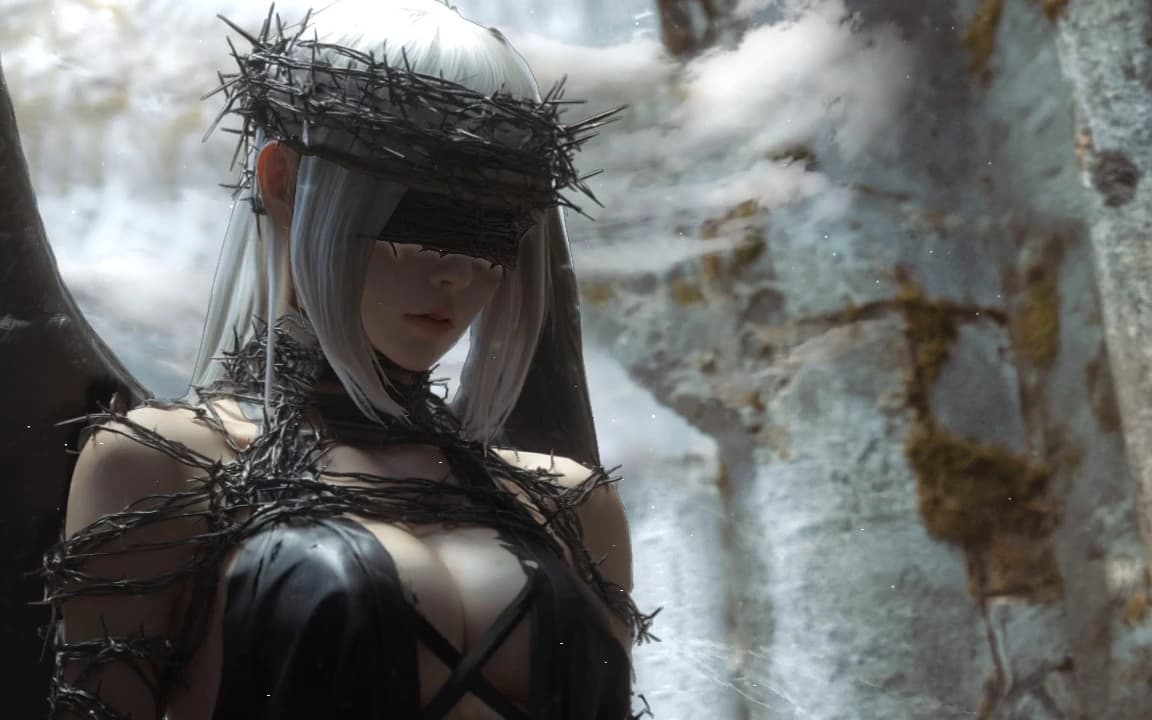


Angel is now on your desktop and lock screen.
Drag the window, pick a wallpaper, then set it.
Under the hood
No Electron. No browser engine. A native SwiftUI shell talks to a Rust scene renderer over UniFFI, and a single thread owns Metal.
The library, menu bar and settings are SwiftUI and AppKit. Real macOS views, never a wrapped web page.
Layers, particles, puppets and SceneScript for Wallpaper Engine scenes, all rendered by a Rust engine.
One thread owns Metal. When a scene stops changing, the renderer sleeps instead of drawing.
Battery, Steam, the lock screen and that first-launch warning.
Ask on GitHubNot officially. PaperFlow is a free macOS app that plays Wallpaper Engine video and scene wallpapers natively on Apple silicon, using its own Rust + Metal renderer. Web and application wallpapers are not supported.
Your own videos need neither. Workshop downloads use Valve's official SteamCMD and your own Steam account. The app's Steam Setup page walks you through installing the tool, signing in and checking Wallpaper Engine.
Videos play through AVPlayer, while scenes only render frames when something changes. You can cap the frame rate, lower the render scale, skip repeated frames and pause on battery. A still, covered or paused wallpaper uses no rendering time at all.
Yes, with a video wallpaper on macOS 26 or later. On macOS 15 the lock screen holds a still frame of the current video. Scenes are set on the desktop.
The app is signed ad hoc, not notarized. macOS blocks the first launch of downloaded copies. Try to open it, then allow PaperFlow in System Settings > Privacy & Security. Or run: xattr -dr com.apple.quarantine /Applications/PaperFlow.app. The full instructions live in the README.
Yes. PaperFlow is MIT licensed and free to use. There is no subscription, no account and no in-app upsell. Workshop wallpapers remain the property of their creators; use them personally and don't redistribute them.
Pick a video or a Wallpaper Engine scene and let the desktop drift. No account, no subscription.